
DATA MANAGEMENT

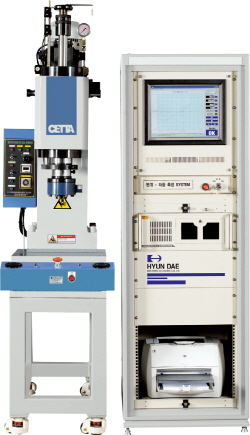
PRESS DOCTOR

  • PRESS DOCTOR

Features 

1) User friend Interface                                                                           2) Data management

- Press doctor : 17" monitor with Window O.S. based P.C.                    - Work Count(Total, Good product, No Good product)
- Adjustable User Interface (graph color, background, etc...)                 - Data classification and storage (per day/month, year/worker) 
- Loading pre-setted configuration value for easy configuration             - Data store(SD memory, Hard disk)
 

3) Measuring sensor                                                                               4) Display working data
- Force : Loadcell(upon customer request)                                             - Pressing force(Maximum, Minimum, Average)
- Displacement : LVDT type(upon customer request)
                        - Working range(Display Ram stroke automatically) 


5) Judgment
- Good product(OK), No good product(NG)
- Master graph, block


Data Display window(ex. insertion process) 

  • 1. Ready state
    setting configuration
  • 2. Ready state
    display initial contact force(peak value)
    ex) initial contact force : 100kg·f
  • 3. Insertion start state
    display insertion starting force
    ex) starting force : 300kg·f
  • 4. Prior state of Finish
    display insertion force at theend of process
    ex) Insertion force : 800kg·f
  • 5. Insertion Finish state
    display insertion finish force
    ex) Insertion force : 1,000kg·f
  • 6. Judgment state
    judge Ok or NG refer toreference specification.


Display window 


[PRESS DOCTOR]


  • Cable Compression
    Cable Compression
  • Terminal Compression
    Terminal Compression
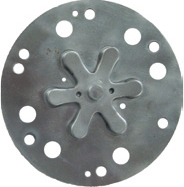
  • Embossing
    Embossing
  • Staking
    Staking
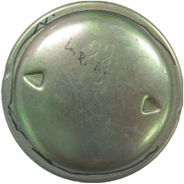
  • Marking
    Marking
  • Bush Insertion
    Bush Insertion
  • Bearing Insertion
    Bearing Insertion
  • Shaft Insertion
    Shaft Insertion
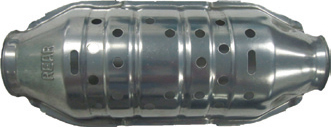
  • Forming
    Forming
  • Trimming
    Trimming